In today’s digital world, having an online presence is important for every business. Customers often search on Google before choosing a product, service, or company. If your business does not have a professional website, you may miss valuable opportunities to reach new customers.
Table of Contents
Website development helps businesses create an online platform where they can present their services, share useful information, communicate with customers, and generate sales. A well-designed website also builds trust and makes it easier for people to understand what your business offers.

Whether you own a small business, run an online store, provide professional services, or manage a startup, a good website can support your growth.
However, creating a successful website involves more than choosing attractive colours and adding images. It requires planning, design, useful content, technical development, security, and regular maintenance.
In this guide, we will explore the importance of websites, their main types, essential features, the development process, and practical tips for creating a strong online presence.
What Is Website Development?
Website development is the process of creating, building, and maintaining websites. It includes everything from designing the visible parts of a website to developing the technical systems that make it work correctly.
The process can involve writing code, setting up databases, creating page layouts, connecting forms, improving loading speed, and ensuring that the website works on different devices.
There are two main areas of development:
1. Front-end development
Front-end development focuses on the parts of a website that visitors can see and use. It includes menus, buttons, images, layouts, forms, and other interactive elements. HTML, CSS, and JavaScript are commonly used to build these features.
2. Back-end development
Back-end development manages the technical functions that operate behind the scenes. It may include databases, user accounts, server-side systems, payment processing, and the storage of website information.
Both areas work together to provide visitors with a smooth and useful experience.
For beginners and small businesses, platforms such as WordPress can make website creation easier without requiring advanced coding knowledge. More complex projects may need custom development based on specific business requirements.
Why Is Website Development Important for Businesses?
A professional website is more than an online business card. It can become an important part of your marketing strategy and customer service.

Here are some major benefits.
1. Builds Trust and Credibility
Customers want to feel confident before buying a product or hiring a service. A professional website can display your business information, contact details, portfolio, customer reviews, and frequently asked questions.
These details help visitors understand your business and make informed decisions.
2. Improves Online Visibility
A website gives your business an opportunity to appear in search engine results. When your pages contain helpful information, relevant keywords, descriptive titles, and a clear structure, search engines can better understand your content.
Combining website development with search engine optimization (SEO) can help attract people who are already looking for your products or services. However, rankings are not guaranteed and depend on several factors.
3. Reaches More Customers
A physical shop usually serves customers within a particular area, while a website can reach people from different cities and countries. Businesses can share their offerings online and connect with potential customers beyond their immediate location.
4. Supports Sales and Lead Generation
A website can include enquiry forms, appointment booking, product pages, online payments, and clear calls to action. These features help turn interested visitors into enquiries or customers.
5. Keeps Your Business Accessible
Your website can provide important information even outside your regular working hours. Visitors can explore your services, read product details, or submit a contact form whenever it is convenient for them.
Different Types of Websites
Before starting a project, it is important to understand which type of website suits your goals.
1. Business Website
A business website presents a company’s services, team, experience, contact details, and customer reviews. It is suitable for agencies, consultants, local businesses, and service providers.
2. E-commerce Website
An e-commerce website allows customers to browse products, add items to a cart, and place orders online. It may include payment gateways, shipping options, inventory management, and customer accounts.
Platforms such as WooCommerce and Shopify are popular choices for building online stores.
3. Blog Website
A blog publishes articles, guides, tutorials, news, or opinions on a particular topic. Businesses can use blogs to answer customer questions, demonstrate expertise, and attract visitors through useful content.
For example, a digital marketing website can publish articles about SEO, content marketing, social media, and online business strategies.
4. Portfolio Website
A portfolio website displays skills, projects, achievements, and previous work. It is useful for freelancers, designers, developers, photographers, and digital marketers who want to demonstrate their abilities to potential clients.
5. Educational Website
Educational websites provide learning materials, online courses, tutorials, and other educational resources. They may include student accounts, quizzes, course payments, and progress tracking.
Choosing the right type depends on your target audience, budget, and business objectives.
Essential Features of a Successful Website
A website should look attractive, but appearance alone is not enough. Good website development focuses on usability, performance, accessibility, and security.
1. Mobile-Friendly Design
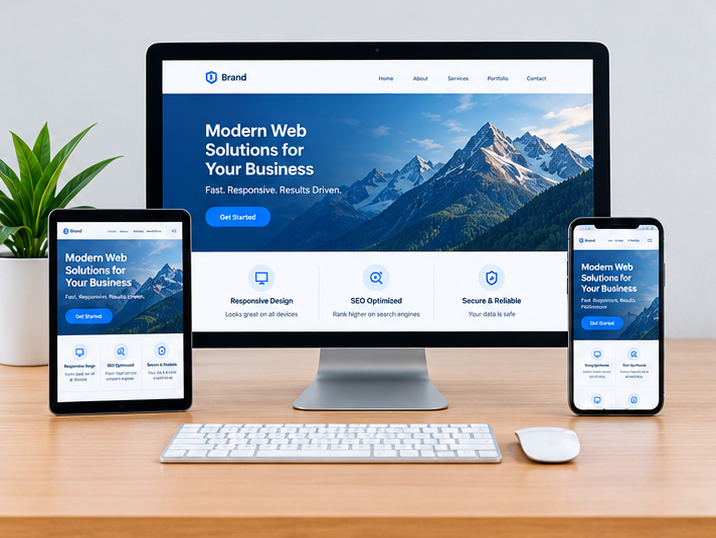
Many visitors access websites using smartphones and tablets. A responsive website adjusts its layout to different screen sizes, making text easier to read and buttons easier to use.
Always test your website on mobile phones, tablets, and desktop computers before publishing it.
2. Fast Loading Speed
Visitors may leave a page if it takes too long to load. Large images, unnecessary plugins, poor hosting, and excessive scripts can slow down a website.
Compress images, use reliable hosting, reduce unnecessary code, and monitor page performance to improve loading speed.
3. Simple Navigation
Visitors should be able to find important information without confusion. Use clear menu labels, logical page categories, and visible contact links.
For most business websites, pages such as Home, About Us, Services, Blog, and Contact provide a useful starting structure.
4. SEO-Friendly Structure
Search engine optimization helps search engines understand your pages and can improve your chances of appearing for relevant searches.
Use descriptive page titles, helpful meta descriptions, logical headings, relevant internal links, readable URLs, and useful original content. Include keywords naturally rather than repeating them unnecessarily.
5. Strong Security
Website security protects your business and visitors from common risks. Use HTTPS, keep software and plugins updated, choose strong passwords, and maintain regular backups.
For online stores, pay special attention to payment security and the protection of customer information.
6. Clear Calls to Action
A call to action tells visitors what to do next. Examples include “Contact Us,” “Get a Quote,” “Book a Consultation,” and “Shop Now.”
Place relevant calls to action where visitors can easily find them, without making the page feel crowded.
Step-by-Step Website Development Process
Creating a website becomes easier when the work is divided into clear stages.
Step 1: Define Your Goals
Start by identifying the main purpose of the website. Do you want to generate leads, sell products, display a portfolio, or share educational content?
Your goals will influence the website’s structure, features, design, and content.
Step 2: Research Your Audience
Understand who your ideal visitors are, what problems they face, and what information they need. Research competitors to identify useful features and opportunities to make your website more helpful.
Step 3: Plan the Website Structure
Create a list of the pages you need and decide how they will connect. A simple sitemap helps you organise the website before design and development begin.
Step 4: Choose a Platform and Domain
Select a platform based on your technical skills, budget, and requirements. WordPress is a flexible option for business websites, blogs, and many online stores.
Choose a domain name that is easy to remember and relevant to your brand. You will also need reliable web hosting to make the site available online.
Step 5: Design and Develop
Create the page layouts, choose suitable fonts and colours, add content, and build the required functionality. Make sure the design matches your brand and supports the needs of your visitors.
During website development, keep the user experience simple and avoid adding features that do not serve a clear purpose.
Step 6: Test Everything
Before launching, test navigation, forms, buttons, images, links, mobile layouts, and loading speed. Check for spelling mistakes and broken links.
You should also review accessibility, security, backups, and basic SEO settings.
Step 7: Launch and Maintain
After testing, publish the website and check that everything works correctly. Launching is only the beginning.
Update your content, install necessary security updates, monitor website traffic, and fix technical issues as they appear. Regular maintenance keeps your website useful and reliable.
How Website Development Supports Digital Marketing
Digital marketing channels work better when they lead visitors to a useful and trustworthy online destination.
For example, SEO can bring visitors from search engines, social media can introduce your brand to new audiences, and email marketing can bring interested people back to your website.
A well-planned website helps connect these activities. Dedicated landing pages can support advertising campaigns, blog articles can answer customer questions, and enquiry forms can help businesses collect leads.
Website development and digital marketing should therefore work together. The website provides the foundation, while marketing activities help people discover it and take action.
Businesses should also track useful performance indicators, such as website visits, enquiry submissions, purchases, and conversion rates. This information helps identify which pages are working and where improvements are needed.
Common Website Development Mistakes to Avoid
Even a good business idea can suffer if the website is difficult to use. Avoid these common mistakes:
- Ignoring mobile users: Always check how pages look and work on smaller screens.
- Using too many plugins: Unnecessary plugins can affect performance, security, and maintenance.
- Publishing weak content: Write clearly and answer the questions your audience actually has.
- Forgetting SEO basics: Use descriptive titles, relevant headings, internal links, and helpful page content.
- Ignoring website security: Keep software updated and maintain backups.
- Not tracking results: Use analytics tools to understand visitor behaviour and improve important pages.
- Failing to update the site: Outdated information can reduce trust and create confusion.
Avoiding these problems from the beginning can save time and make your website more effective.
How to Choose the Right Website Development Partner
If you do not want to build a website yourself, working with a professional developer or agency may be a good option.
First, review their portfolio and look at websites they have created. Check whether their work is easy to navigate, mobile-friendly, and relevant to your needs.
Second, discuss your requirements, timeline, budget, and expected deliverables before starting. Ask whether the price includes hosting, maintenance, security, content support, or SEO setup.
Third, make sure you will have access to your domain, hosting account, website files, and other important assets.
Finally, choose a partner who communicates clearly and explains technical decisions in simple language. The cheapest option is not always the best; consider quality, reliability, and long-term support.
Conclusion
A strong online presence can help businesses build credibility, connect with customers, and create new growth opportunities. A successful website combines attractive design with useful content, reliable performance, simple navigation, and proper security.
Website development is not just about creating pages. It is about building a practical online platform that supports your business goals and provides a positive experience for visitors.
Whether you are creating a portfolio, a business website, or an e-commerce store, start with a clear plan and focus on the needs of your audience. Test your website carefully, keep it updated, and use performance data to guide future improvements.
If you are planning to build or improve your business website, start by defining your goals, choosing the right platform, and creating a user-friendly experience. With the right strategy and regular improvements, your website can become a valuable part of your digital marketing efforts.
FAQ
Why is website development important for a business?
Website development helps businesses build an online presence, reach more customers, showcase their products or services, generate leads, and build trust with potential customers.
How much does website development cost?
The cost of website development depends on the website’s size, design, features, platform, and complexity. A simple business website generally costs less than a custom website or a large e-commerce store.
What are the main types of website development?
The main types include static website development, dynamic website development, e-commerce website development, custom website development, and content management system (CMS) development.
Can I develop a website without coding?
Yes, you can create a website without coding by using platforms such as WordPress and website builders. Themes, plugins, and visual page builders make it easier to design and manage a website.